Use Blender 5.1 or newer and download the ZIP for your computer:
Windows: x64.
Linux: x64 with glibc 2.28 or newer.
macOS: Apple Silicon (arm64), macOS 15 or newer. Intel Macs are not supported.
Remove older Camera Tracker versions before enabling v7.
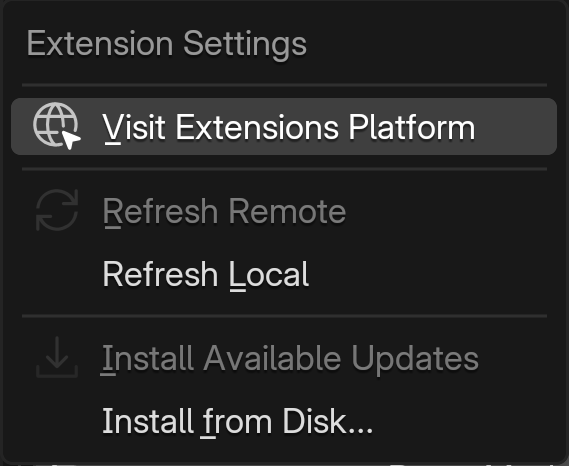
In Blender, open Edit > Preferences > Get Extensions. Open the top-right menu and choose Install from Disk.
Select the matching ZIP and enable CameraTracker. Keep the ZIP intact; do not mix files from different platform builds.
Open the 3D Viewport sidebar (N) and find CameraTracker. Setup normally finishes automatically. If Complete Installation appears, click it and read the result.
Restart Blender after replacing an installed version.
No separate Python, COLMAP or FFmpeg installation is needed.
Get Extensions menu: choose Install from Disk.
If setup needs attention
Windows: install to a writable user extension directory. If security software removed a bundled tool, check its report and reinstall the trusted ZIP.
Linux: setup restores executable permissions. A noexec filesystem prevents the tools from running; install the extension on an executable filesystem.
macOS: setup repairs bundled links and permissions and handles quarantine for the bundled runtime. If it fails, follow the reported permissions or Privacy & Security instructions for your trusted package, then retry Complete Installation.
A successful setup reports CameraTracker installation complete. If it reports a missing tool or permissions error, resolve that message before tracking.