[1/6/26] mouseless
i don't know much about vim but i know big brain linux people seem to use it. another thing i do know is that the 'value' of vim is in vim motions. basically the core idea is: the more that is done without a mouse, the better. ideally 0% mouse or...

mouseless!

but i am trying to take it a step further. what if i could avoid using the mouse all together? keyboard only across all of windows - would this be possible (and actually speed me up)?

it turns out hotkeys are not enough. especially for programs that are pure mouse-based gui. we need a way to click without using the mouse. in my research i found a couple solutions
there are of course other options (especially for macos for some reason). they all pretty much do the same thing. however i went with "mouseless" because of cross-platform (i use windows and macos) and it's just prettier. unfortunately it does cost money though which sounds pretty silly for getting rid of gear.

regardless, the common solution for the clicking problem is recursively dividing the screen into what i'll call 'hotkey cells':
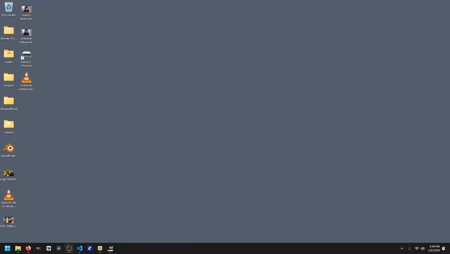
generally you can get where you need to go using only 3 keys (2 for the region and 1 for finetuning). technically 4 keys if you count the key to trigger the click. it sounds slower but it really isn't after some practice.

here is the config.yaml file i use (which can be ported between os'). and i think i made some unconventional (but super useful changes)
- capslock to toggle overlay
- double capslock for free mode
- double shift to swap screens
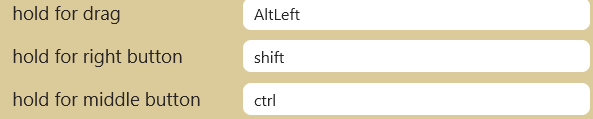
- space, shift + space, ctrl + space for click, right click, and middle click
- up, down, left, right arrows to navigate free mode
- w, a, s, d for free mode scroll-wheel
now why did i choose what i chose? when first turning off my mouse and putting it away in a drawer (i only lasted a few hours) one of my first experiments was navigating around blender. one thing you have to know about blender is that it steals keys. meaning your shift, ctrl, etc can't be used for external hotkeys (without going into something like sharpkeys). but! that means all the good modifier keys are taken!

except for capslock... the most natural key remaining for the left pinky. and as you can tell from my all-lowercase style, i don't use capslock that often anyhow.

secondly you'll notice the right and middle click require modifiers (they don't have their own key). this again is because of all the taken real-estate for easy to reach keys. and it turns out this choice feels quite natural.
now of course going mouseless forces you to learn new hotkeys. what ended up happening is everytime i would do something repetitively (like minimizing a window or closing a browser tab) i would learn the corresponding hotkey. i can now navigate most of windows and firefox quite quickly with only a keyboard.

so far it's only been a week but i can already say i'm legitametly faster. however i have concluded that this is untenable for use with blender - to much middle mouse dragging :)